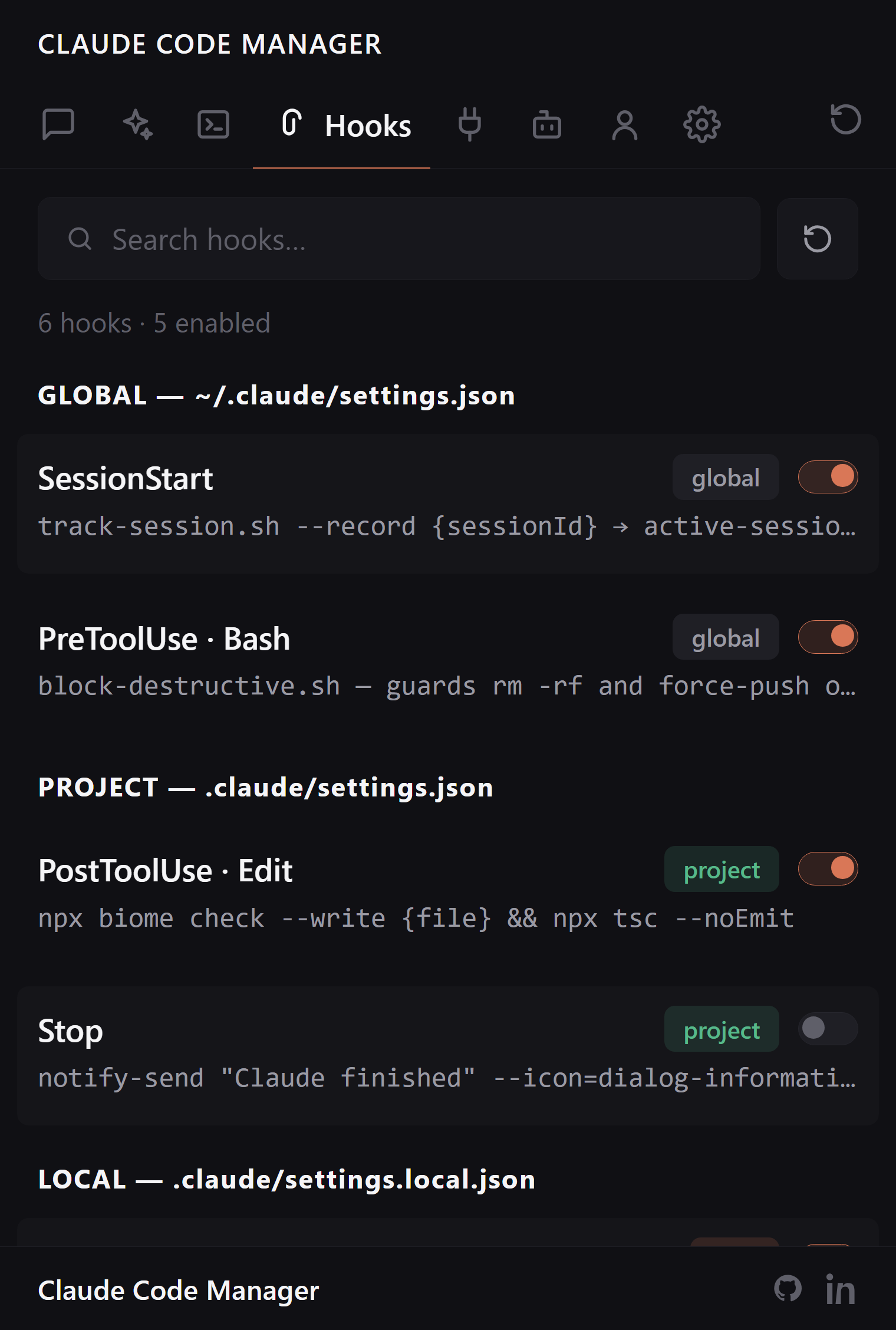
Every automation hook across every settings scope, grouped by event, with the full command it runs shown up front. Stop parsing nested settings.json to find out what fires when.
Claude Code hooks live in nested settings.json across user, project, and local scopes. The extension reads all of it and shows each hook by event, with its command in plain sight.
Every scope, grouped by event
User, project, and local hooks all in one view, organized by the event that triggers them — PreToolUse, PostToolUse, Stop, and the rest. See what fires and when without opening a single settings file.
User, project, and local scopes together
Grouped by trigger event
Know which scope every hook lives in
The command, in full, up front
A hook is a shell command that runs on your machine. You should be able to read it before it fires — so every hook shows its full command preview, not a truncated blob buried in JSON.
Full command preview per hook
Spot a surprise hook a plugin added
Read-only: never rewrites your settings
FAQ:
Hook questions, answered.
Which hooks does it show?
Every hook across every settings scope — user, project, and local — grouped by event, so you see exactly what fires on PreToolUse, PostToolUse, Stop, and the rest.
Can I see the command before it runs?
Yes. Each hook shows its full command preview — you know exactly what shell command runs on which event, no digging through nested JSON.
Do I still hand-edit settings.json?
You get a readable view of every configured hook across scopes instead of parsing nested JSON by hand — always clear which scope a hook lives in.
Is it 100% local?
Yes. It reads your local ~/.claude/ and project .claude/ settings and renders under a strict CSP. No network, no telemetry, no stored credentials.
Stop parsing settings.json. Read the hook.
Free, open source, reads only your local ~/.claude/.