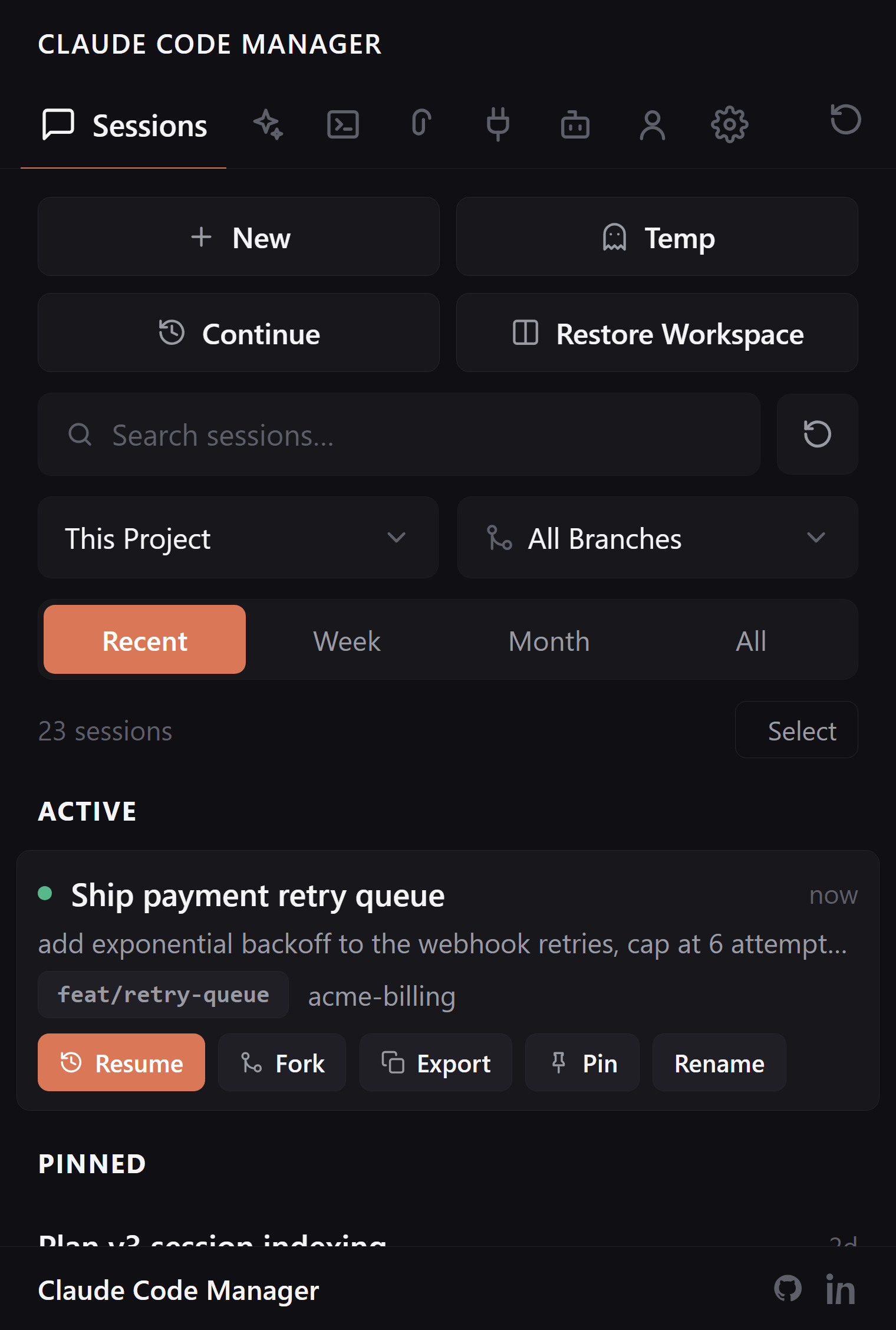
Every Claude Code session you've ever run, searchable full-text and filtered by project and git branch. Resume, fork, or carry a session to another machine — no more scrolling terminal history for last week's conversation.
Claude Code stores every conversation as JSONL in ~/.claude/. The extension indexes that directory and turns it into something you can actually browse.
Search that reads the transcripts
claude --resume gives you a linear picker. Fine at ten sessions, useless at eighty. Here you search the actual conversation text — the migration you discussed, the bug you named, the file you touched — and jump straight back in.
Full-text search across every transcript
Filter by project, date window, or git branch
Live status dots for running sessions
Resume on the branch it started on
Sessions remember their git branch. Resuming feature-branch work while you're on main is how files get edited in the wrong place — so the extension checks, and warns you before it happens.
Branch mismatch warning before resume
Resume routes to terminal or extension chat
Restore a whole workspace of terminals at once
Fork, export, import
Fork a session to branch the conversation without losing the original. Export one to a file and import it on your laptop — the context comes with it.
Fork keeps the original untouched
Import/export moves sessions between machines
Pin and rename the ones that matter
FAQ:
Session questions, answered.
How do I find an old Claude Code session?
The extension indexes every session in ~/.claude/ and gives you full-text search across transcripts, plus project and git-branch filters. Type what you remember from the conversation and click Resume.
Can I resume a session on a different git branch?
You can — but you probably don't want to by accident. The extension warns you when the session's original branch doesn't match your current one.
Can I move sessions between machines?
Yes. Export a session to a file, copy it over, import it. The conversation continues with full context.
Does it work with sessions from the official Claude Code extension?
Yes. The CLI and the official extension share ~/.claude/, so sessions from both show up in one list, and Resume routes back to whichever surface the session started in.
Stop scrolling scrollback. Start searching.
Free, open source, reads only your local ~/.claude/.