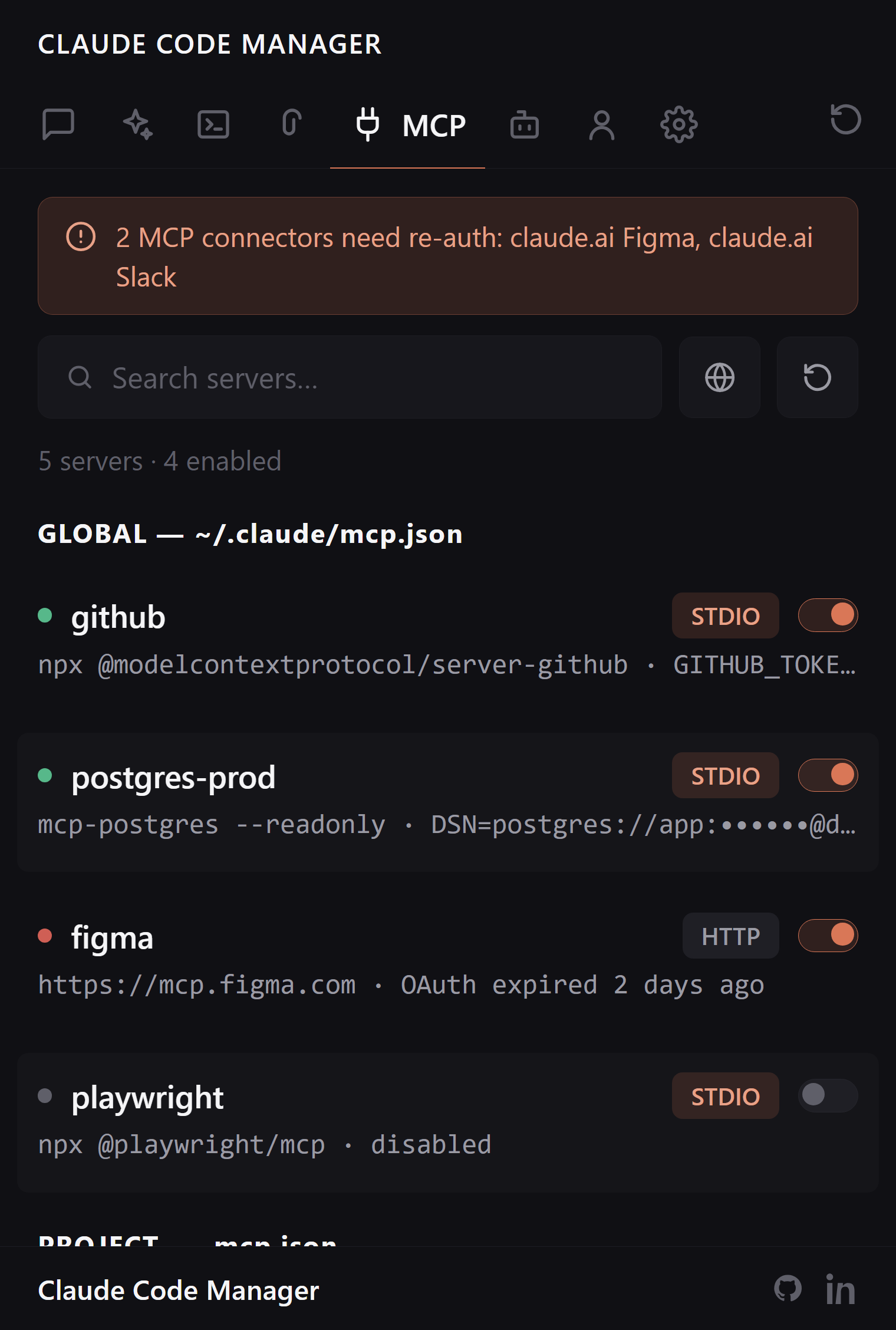
Manage Claude Code MCP servers without touching JSON.
Every MCP server Claude Code knows about — global, project, and plugin — in one list with toggles. Enable, disable, inspect, or delete. Secrets stay masked. Config files stay valid.
Config files are for machines. Toggles are for you.
MCP servers live across ~/.claude, project .mcp.json, and plugin configs. One misplaced comma and the server silently vanishes. So: a sidebar.
Toggle instead of edit
Turning a server off for one heavy session used to mean cutting a JSON block and keeping it in a notes app. Now it's a switch — the extension rewrites the config correctly and puts it back when you re-enable.
Enable / disable / delete per server
Config rewritten correctly every time
Malformed config errors surfaced, not swallowed
Inspect without leaking
Open any server to see its command, transport, and environment — with API keys and secrets masked automatically. Safe to inspect on a shared screen.
Secrets masked by default
STDIO and HTTP transports labeled
Global, project, and plugin scopes together
Auth health, before it bites
OAuth-based connectors expire quietly, and you usually find out when a tool call fails mid-conversation. The auth-health banner surfaces stale connectors in the sidebar instead.
Stale/missing auth flagged up front
Live status dots per server
Jump to the config file when you do need it
FAQ:
MCP questions, answered.
How do I disable an MCP server without editing JSON?
Every configured server gets a toggle. Disabling rewrites the config for you, correctly; re-enabling restores it. No hand-editing .mcp.json or settings files.
Are my API keys visible in the sidebar?
No. Keys and secrets are masked automatically when you inspect a server's config.
Which scopes does it manage?
Global servers from ~/.claude and project servers from .mcp.json, shown together with scope labels — including servers added by plugins.
Can it tell me when a connector needs re-auth?
Yes. An auth-health banner flags stale or missing auth in the sidebar, so you find out before a tool call fails mid-conversation.
Your MCP stack, one glance.
Free, open source, reads only your local ~/.claude/.