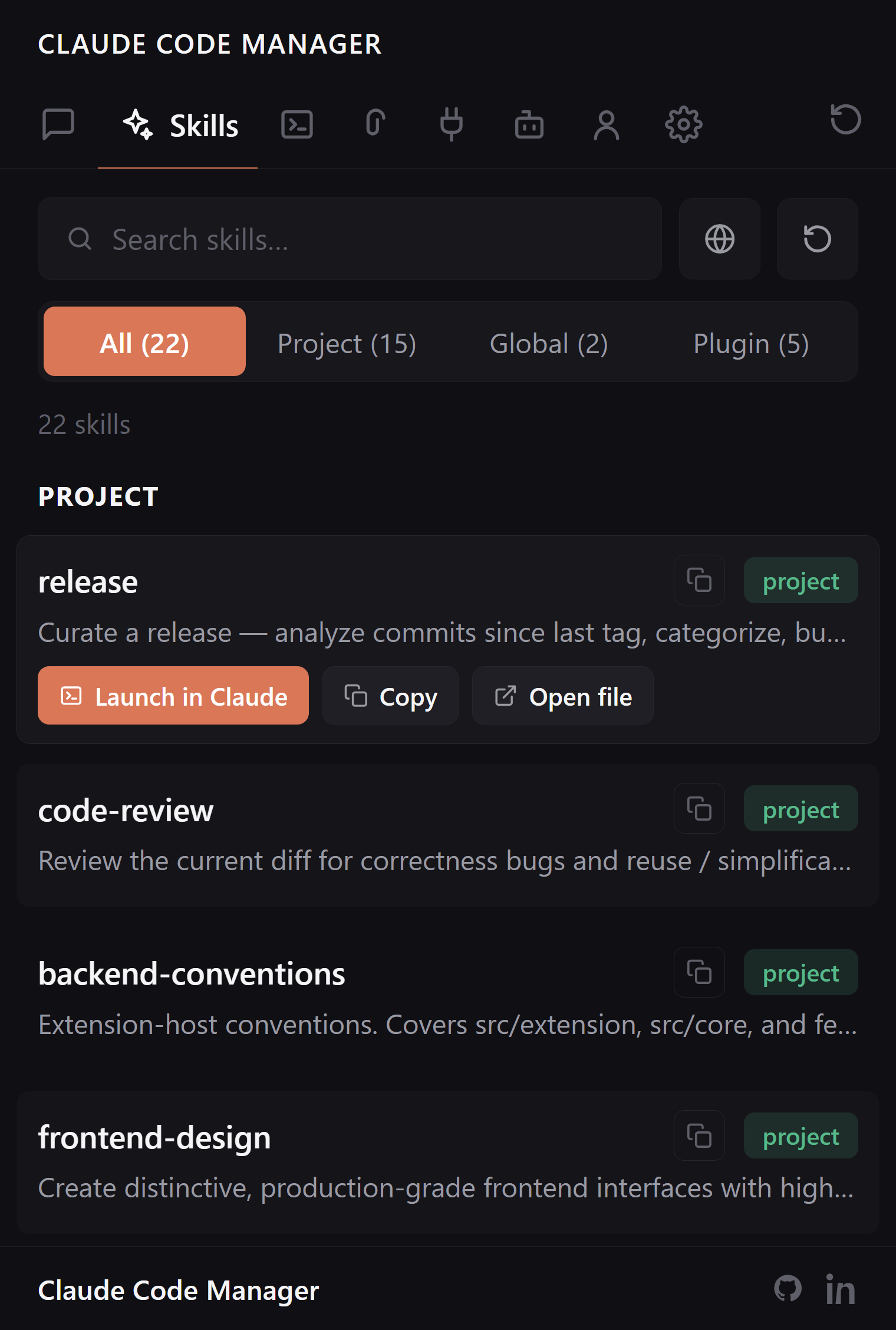
Every Claude Code skill — global, project, and plugin-scoped — in one sidebar, each tagged by where it lives. Stop guessing which skill is active and where it was defined.
Global, project, and plugin skills normally live in different directories. The extension reads all three and shows them together, each with a badge for its scope.
Global, project, plugin — unified
Skills in ~/.claude/skills/, in your project's .claude/skills/, and skills a plugin ships are all in one list. No more wondering which scope a skill came from.
Every scope in a single view
Scope badge on each skill
Open the SKILL.md source in a click
Inspect before you trust
A skill is only as safe as its instructions. Read what a skill actually does — its description and definition — straight from the sidebar, before it runs on your repo.
Read descriptions and definitions inline
Spot plugin-added skills at a glance
Read-only: never edits your skill files
FAQ:
Skill questions, answered.
Where does it find my skills?
Every scope Claude Code uses: global in ~/.claude/skills/, project in .claude/skills/, and skills shipped by installed plugins — all in one list, each tagged by scope.
Can I tell which skills come from plugins?
Yes. Every skill carries a scope badge — global, project, or plugin — so you see exactly where each one is defined.
Can I open a skill's source?
Yes. Click through to the skill's SKILL.md and definition on disk. It reads your files; it never rewrites them.
Is it 100% local?
Yes. It reads your local ~/.claude/ and project .claude/ and renders under a strict CSP. No network, no telemetry, no stored credentials.
One list for every skill. Every scope.
Free, open source, reads only your local ~/.claude/.